Something not working?
Solve common problems and get help
Practical checks for missing cards, silent sound, downloads, imports and recovery.
Android · Updated 23 October 2026
On this page
Start with the checks related to what you were trying to do. Preserve your data while investigating; clearing Android app storage or deleting your account is not a routine repair step.
A card or mode is missing
- Look in Library → deck → Manage cards, including paused cards.
- Check deck pause, deck selection, daily limits and precise due-time settings.
- Check Prioritize new cards when the opposite problem occurs and new additions appear despite the intake limit.
- Quiz and Second chance need dictionary cards. Word in context and Write it need Recall it. An Anki-only deck uses its templates instead.
- Practice needs eligible content. Grammar sprint needs a supported gendered language; Aspect pairs and Aspect prefixes are Polish-only.
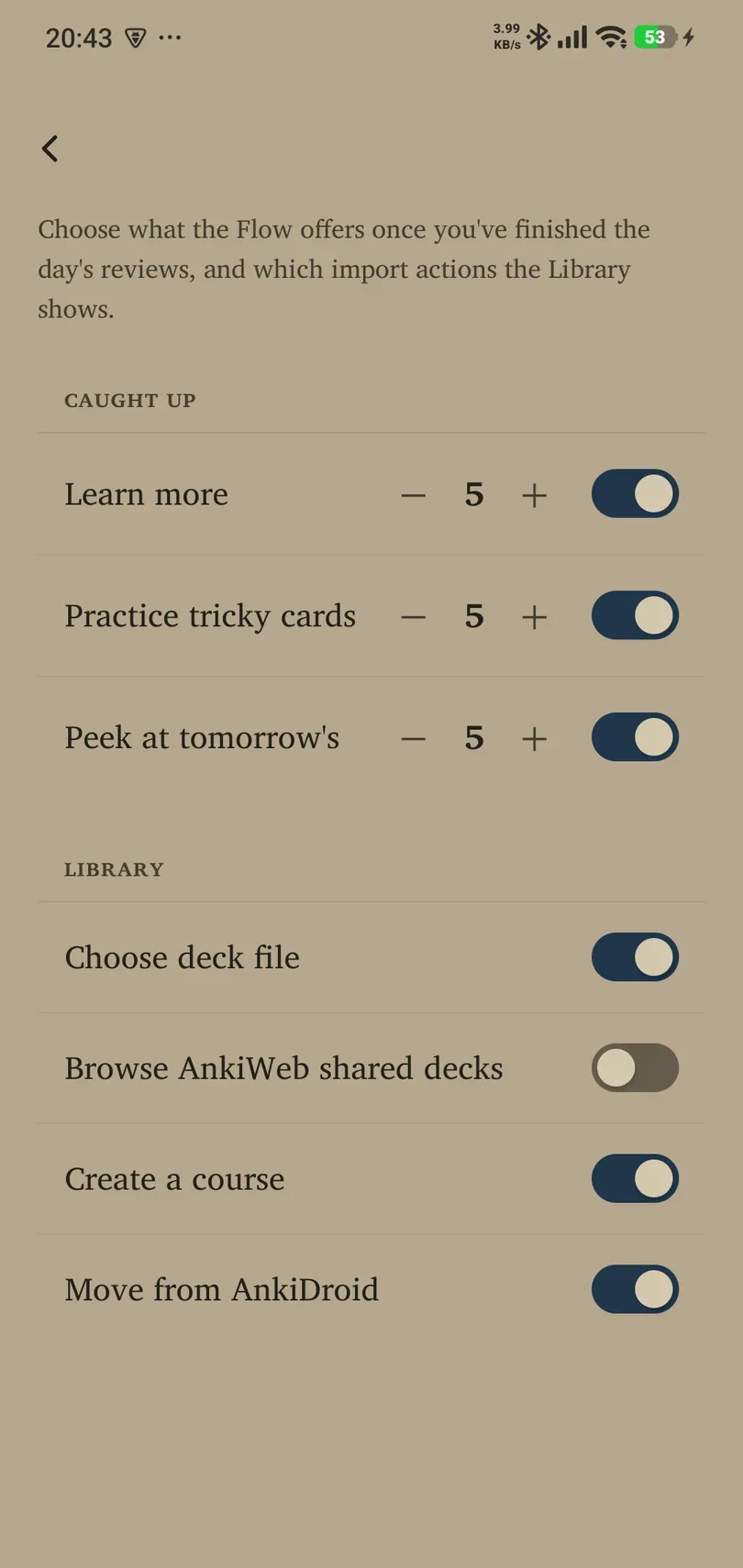
- Missing Add decks shortcuts can be restored under Learning → Power → Caught-up / Library page.
A dictionary or course is unavailable

Check the exact language pair, current pack status, network and available device storage. Translation availability does not guarantee a dictionary. Course Creator needs the selected dictionary to be ready and can also require online services or available course allowance.
If a download stalls, read its error and offered retry/cancel action. Reopen the language screen after restoring the connection. Do not delete your Library to repair a resource download.
Audio or reminders do not work
For audio, check media volume, Bluetooth output and a matching Android voice. Imported Anki audio also needs media included in the original package. For reminders, check Android permission, the app’s visible switch, time/threshold, and whether there is actually waiting work. An active holiday suppresses reminders.
An import fails or looks incomplete
Confirm the file is fully downloaded and has a supported format. CSV needs Front and Back columns. Re-export an Anki package with media, scheduling and deck settings if those are required. Read warnings about skipped cards or estimated schedules and compare a few representative cards with the original.
A Remilo JSON file belongs under Settings → Data → Import from a file. It omits media and merges content; changing the extension does not convert the format.
Backup, account or connection problems
Read whether a backup is local or actually uploaded to Drive. Reconnect Drive when prompted. Check that the same intended account is used for ChatGPT or other account-based connections. Resolve an ownership lock through Account. If a restore fails, preserve the source file and try the app’s offered older-backup path where appropriate.
Contact support
Use Settings → Support → Contact us, or contact Remilo. Join us on Telegram opens the community link; Support Remilo opens optional support links. Settings → About shows the app version and product information.
Include the app version, Android phone model, affected language/card type, exact steps and visible error. A screenshot helps if you remove private card contents, account details and codes first. Never send passwords, sign-in tokens, pairing codes or an unencrypted collection export in an ordinary support message.