Cards & decks
Import a deck file
Bring in Anki packages or CSV, review the options, and understand the import result.
Android · Updated 23 October 2026
On this page
Use the original deck file. Anki packages can include templates, media, history and scheduling; a plain CSV is a simpler list of content. Remilo JSON backups have a separate import route under Data.
Choose and preview a file
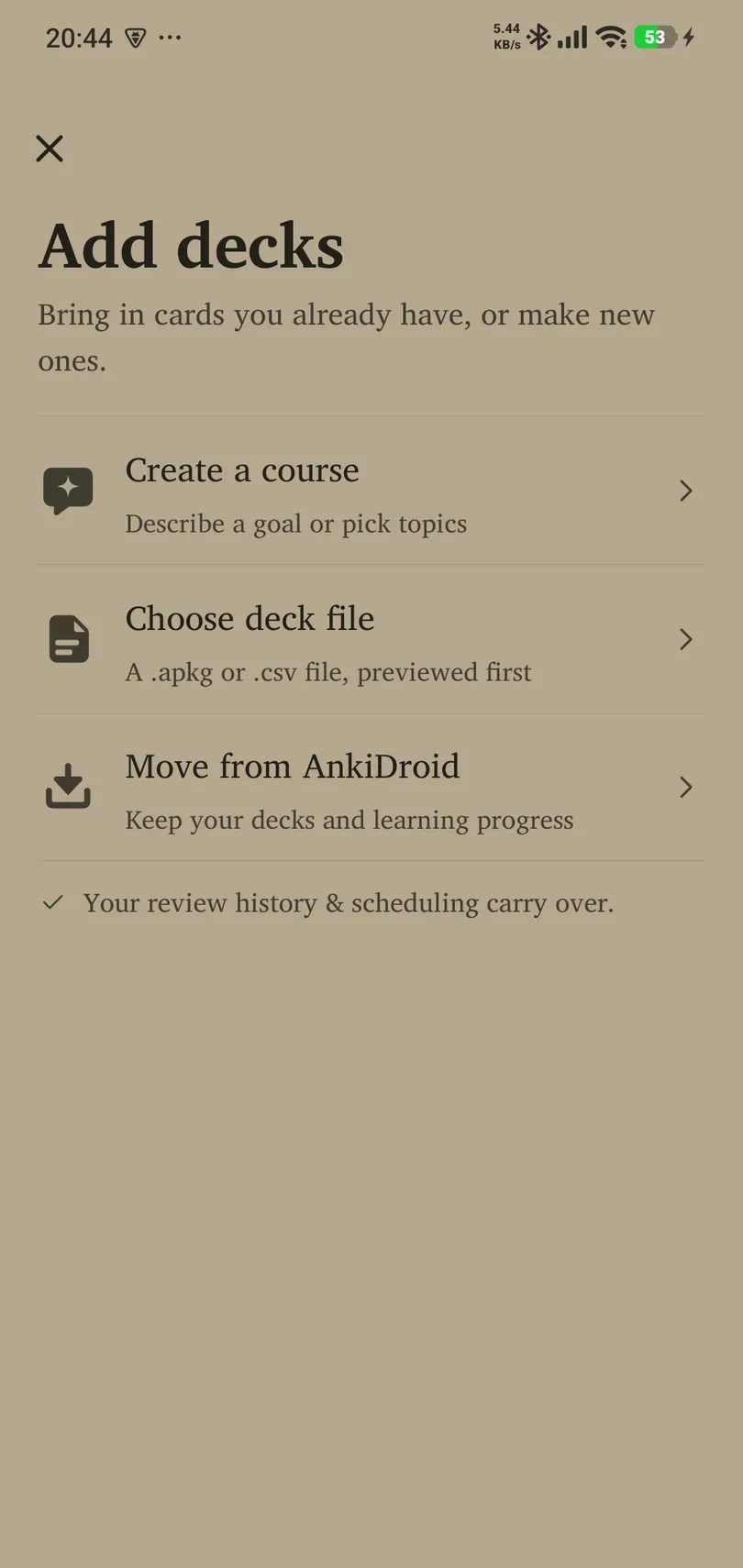
- Open Library → Add decks → Choose deck file.
- In Android’s file picker, select an
.apkg, supported.colpkg, or.csvfile. Download a cloud-only file locally first if the picker cannot provide it reliably. - Wait for parsing. Inspect the deck name, counts and sample content in the preview.
- For an Anki package, review Import learning progress and Import options groups. They control whether you bring across available progress and Anki scheduling settings.
- Confirm the import and wait for the completion summary before closing the app.
Browse AnkiWeb shared decks opens an external source of community files. Download the file, then return to Remilo to import it. Content quality and media rights depend on the deck author.
History and media
Include scheduling information and deck settings when exporting from Anki if you want to retain progress. When history is missing or incomplete, scheduling may need to be estimated. Read the completion summary for estimates, skipped cards and media problems; an imported card count alone does not prove all history transferred.
Images and sound depend on media being included in the package. If missing-media warnings appear, export again with media rather than assuming the card is meant to be blank or silent.
CSV and backup files
CSV requires Front and Back column headers (case-insensitive). Comma and semicolon delimiters are supported. Save text as UTF-8 and check the preview carefully. For example:
Front,Back
luna,moon
flor,flower
A CSV does not carry Anki templates, embedded media or a full review history. Correct the file if parsing reports an error. Changing file content, row order, filename or deck naming can change CSV card identities, so do not treat arbitrary CSV rewrites as a guaranteed duplicate-free update workflow.
For a Remilo JSON export, use Settings → Data → Manual file → Import from a file. Renaming a JSON file to .csv or .apkg does not convert it.
Re-import and recovery
Re-importing is intended to preserve existing progress and protect notes edited in Remilo while refreshing eligible imported content. It is not ongoing two-way sync. Back up before a large re-import. If parsing fails, check that the file is a complete package and not a browser page, an incomplete download, or an unsupported archive. Use Try again after correcting the cause.