Languages & sound
Hear words and fix silent audio
Use pronunciation, install a matching voice, and prepare listening practice for offline use.
Android · Updated 23 October 2026
On this page
Remilo’s vocabulary pronunciation uses voices available on your phone. Imported Anki audio can instead come from files inside the imported deck. These two sources need different checks when sound is missing.
Listen to a word
- Open a card with pronunciation and use its speaker/replay control where available.
- Check the phone’s media volume and which output is active, including Bluetooth headphones.
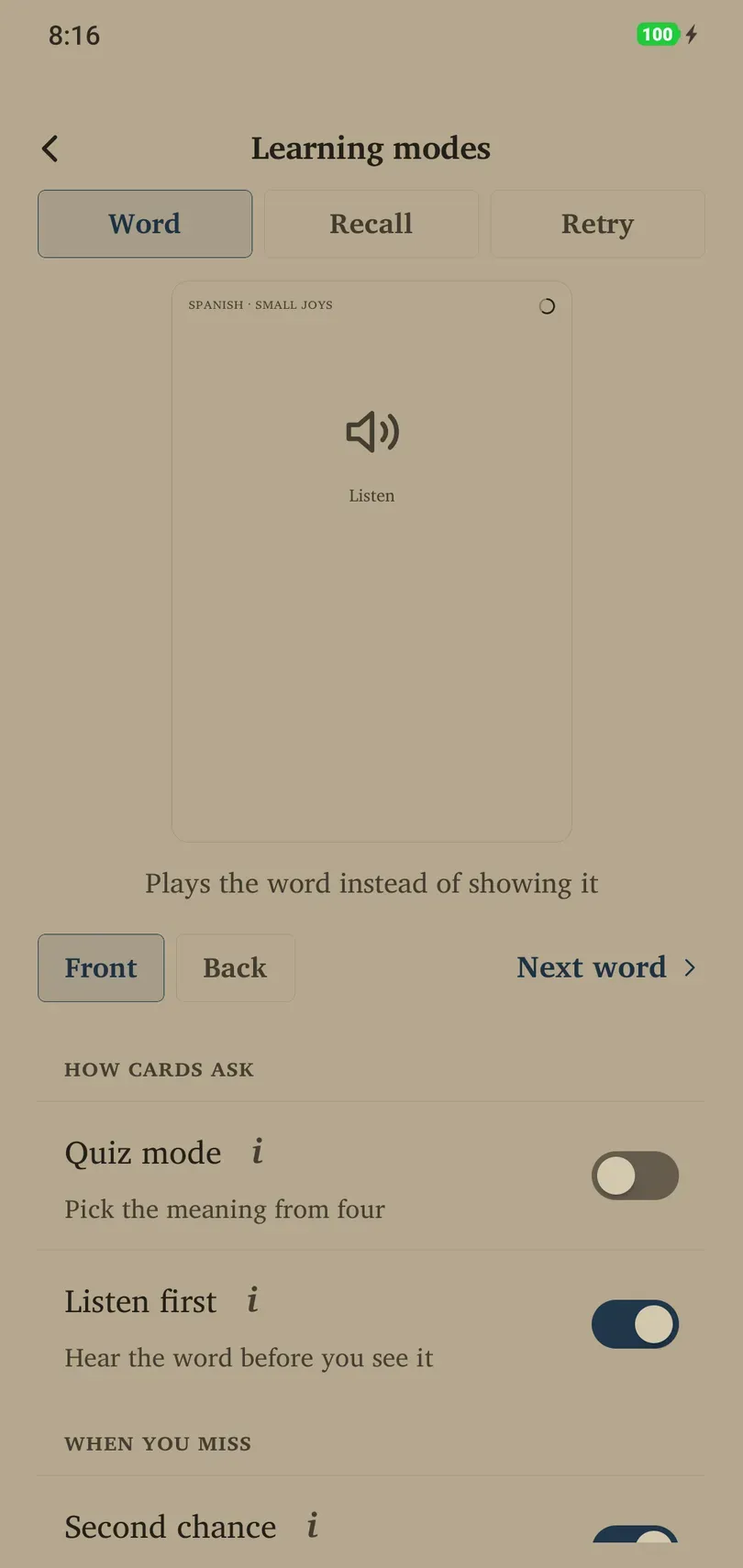
- For a sound-first prompt, enable Library → deck → Learning modes → Listen first.
- Listen, attempt recall, and reveal the answer. Repeat pronunciation if you need to.
Listen first can combine with Quiz mode. It needs a matching language voice; the app offers Voice settings when one is missing.
Install or change a voice
- Choose Voice settings from the missing-voice prompt. On Android it opens the phone’s text-to-speech settings when supported.
- In the system voice engine, install the target language’s voice data. Labels vary by phone and installed engine.
- Use the engine’s sample playback to confirm that it speaks.
- Return to Remilo and try the card or mode again.
Voice engine, voice downloads and any system speech-rate controls belong to Android. This version does not have a separate voice-picker menu under Remilo’s Languages page.
Prepare for listening practice

Try Dictation for spelling from sound, Sentence listen for hearing a word in context, or Hands-free loop for spoken recall. The loop speaks meaning and answer; a suitable voice may be needed for both languages. These activities are ungraded and do not assess speech accuracy.
For offline use, install offline voice data in advance and test it while disconnected. Having an offline dictionary does not guarantee that the chosen voice works offline.
Imported audio and other problems
For an imported Anki card, confirm the original export included media and read any missing-media warning from import. For generated vocabulary, check the target language and phone voice. If all apps are silent, start with Android’s audio output rather than reinstalling Remilo. Record which card type and language fail when contacting support.