Cards & decks
Move from AnkiDroid
Export your decks with media and progress, then check the move into Remilo.
Android · Updated 23 October 2026
On this page
Keep AnkiDroid and its original collection until you have checked the import. This is a file-based move, so you can inspect the result before deciding where you will study next.
Export from AnkiDroid
- In AnkiDroid, choose Export.
- Export an Anki collection package (
.colpkg) for the whole collection, or a deck package (.apkg) for selected decks. - Include media. For a deck package, also include scheduling information and deck settings.
- Save the file in a location Android’s file picker can open, such as Downloads. Wait for export to finish before switching apps.
Keep a separate copy of the export as your original backup. Do not delete the old collection just because a file has been selected in Remilo.
Import into Remilo
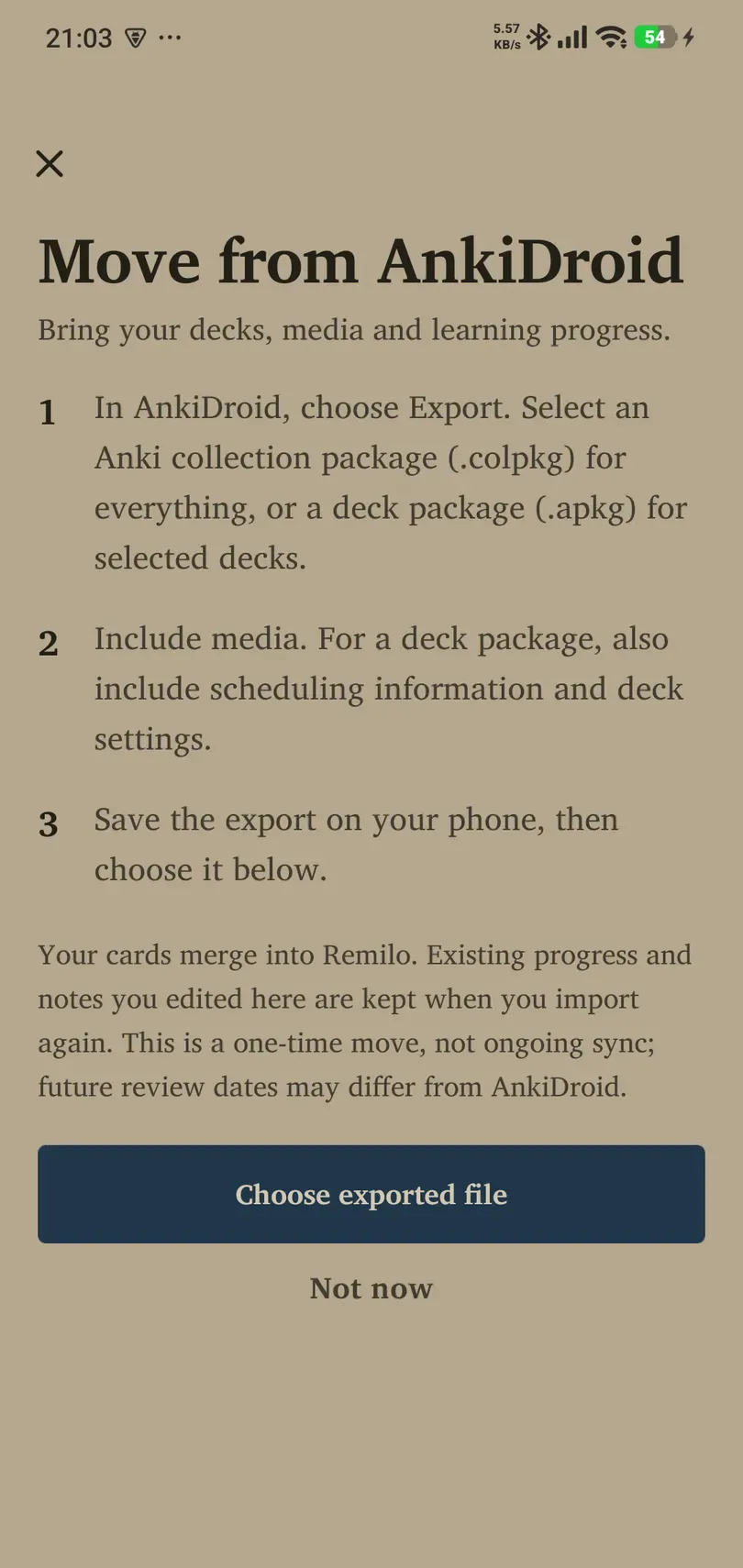
- Open Library → Add decks → Move from AnkiDroid.
- Read the numbered instructions and tap Choose exported file.
- Select your completed export.
- Check the preview and import options. Include progress and options groups when you want to bring those across.
- Start the import and leave it to finish.
Check before moving on
Read the completion report for card counts, skipped material, scheduling estimates and media warnings. Open several cards, including cloze cards, images and audio where your deck has them. Check deck names and whether progress appears as expected.
Remilo uses available history and scheduling data, but future review dates may differ from AnkiDroid. Missing history can require estimates. The import report is the place to identify those cases.
Re-importing and ongoing use
Cards merge into Remilo. Existing progress and notes you edited here are kept when importing again, subject to the supported import behaviour. A file import does not continuously synchronise future changes between AnkiDroid and Remilo.
If you also want to use Anki Desktop, read the dedicated bridge guide. Do not assume the desktop bridge turns an AnkiDroid file migration into unrestricted two-way sync.
If the file picker cannot see your export, confirm that export completed and copy the file to Downloads. If media is missing, make a new export with media included rather than changing the filename extension.