Make it yours
Understand scheduling and presets
A full reference for retention, learning steps, leeches, FSRS parameters and rescheduling.
Android · Updated 23 October 2026
On this page
A preset is a group of scheduling settings shared by the decks assigned to it. Keep the supplied settings unless you have a specific reason to change them. Imported Anki options can create additional presets.
Open, assign and manage presets
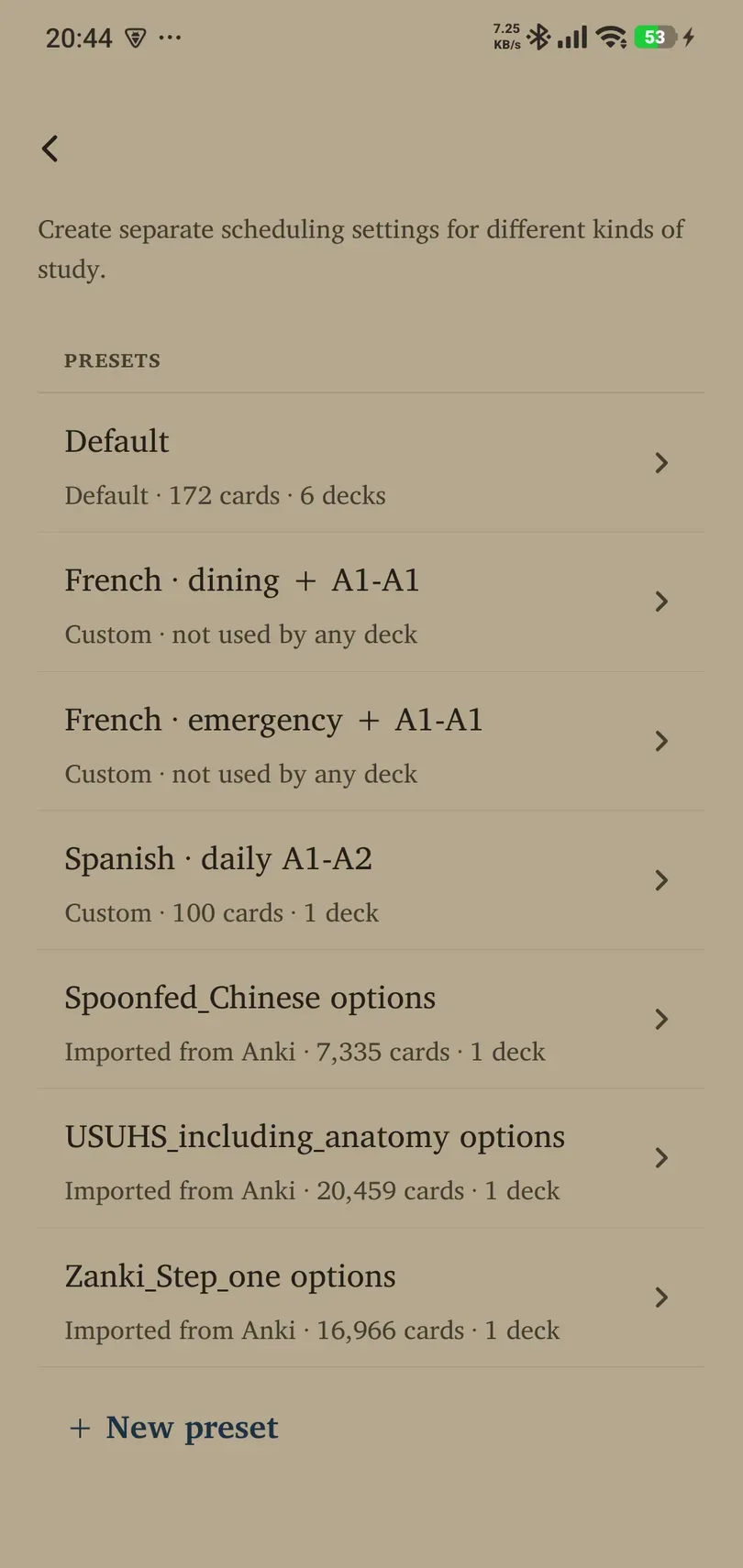
- Select Settings → Learning → Power while signed in.
- Open Default preset or Custom presets, then select a preset.
- Read which decks use it before editing. Use Clone to start a separate settings group when appropriate.
- Assign a preset through Library → deck → Settings → Preset.
Rename a custom preset to describe its purpose. Delete preset makes its assigned tags fall back to the default; it does not mean those cards are deleted. The global default cannot be deleted in the same way.
Retention, limits and intervals
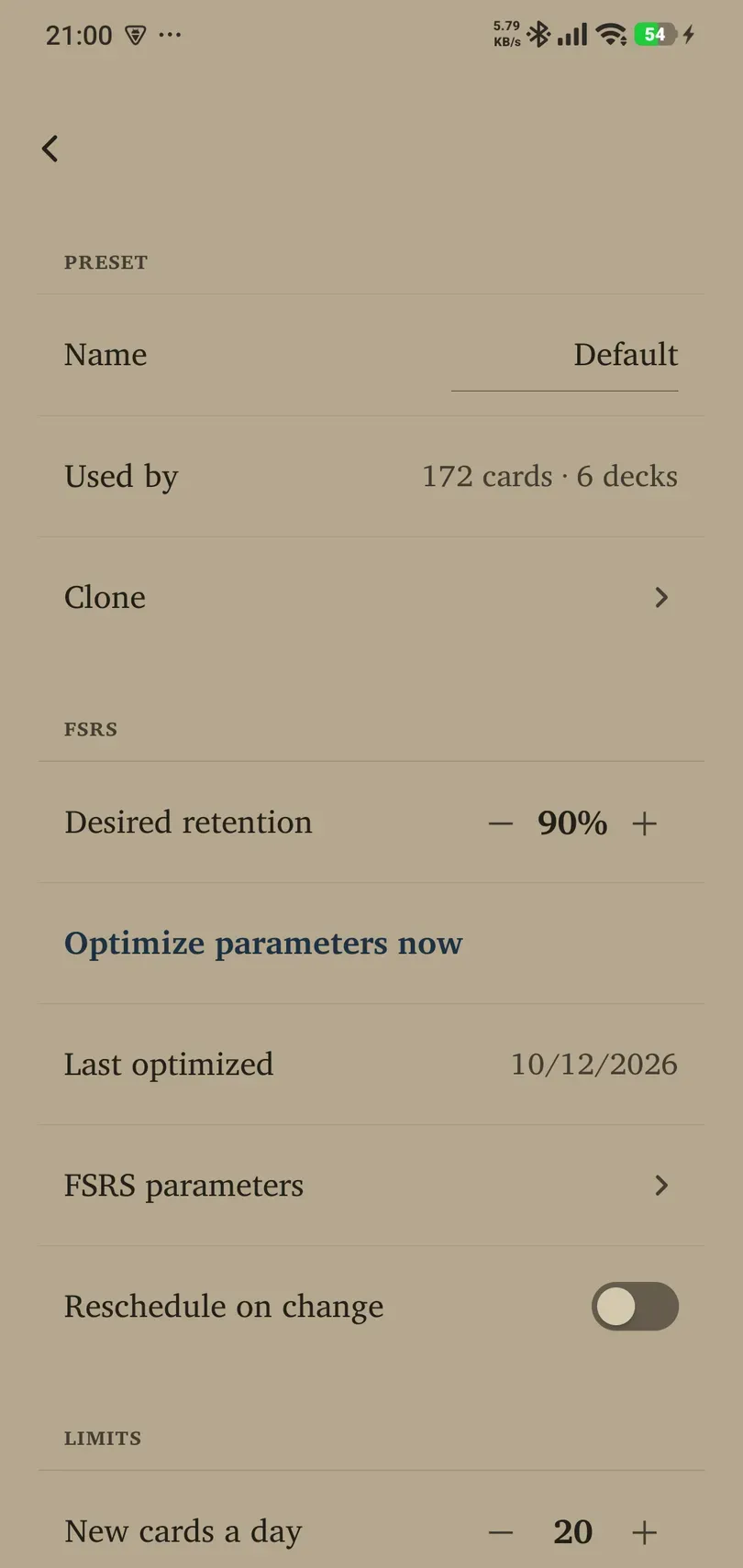
- Desired retention: 70–97%; fresh default 90%. This is a scheduling target, not a measured score. Higher generally means more reviews.
- New cards a day: 0–999 in the advanced preset editor. Zero stops ordinary new intake for that preset while allowing eligible existing reviews.
- Reviews a day: 0–9999; fresh default 999. A cap can postpone eligible work.
- Longest interval: 1–36,500 days; fresh default 36,500. It limits the largest scheduled gap. The subtitle explains long values in years.
Learning and relearning steps
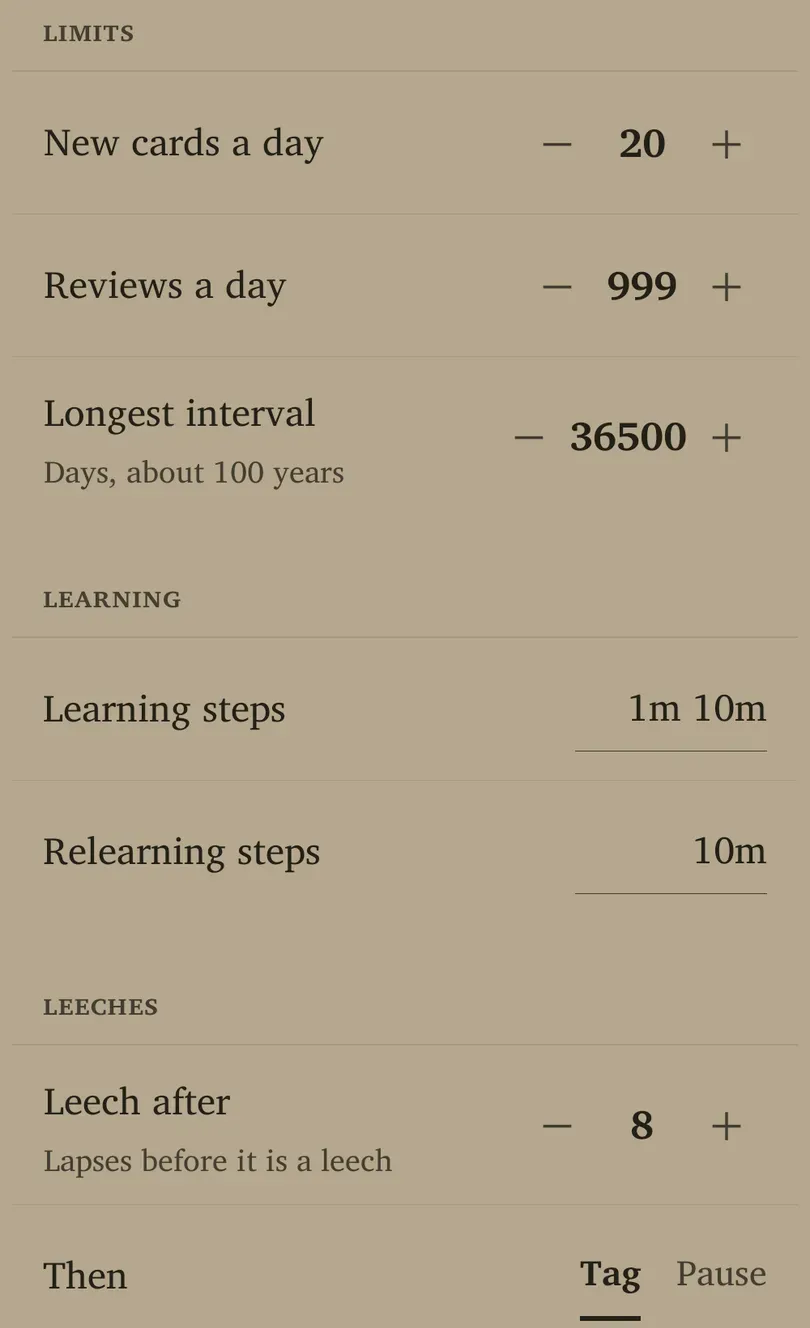
Learning steps apply to new learning; Relearning steps apply after forgetting. Fresh defaults are 1m 10m and 10m respectively. Enter durations separated by spaces using supported units, such as minutes (m) and days (d), and finish the field edit to commit it. An invalid value is rejected rather than becoming a valid schedule.
Very long or numerous steps can keep material in short-term learning longer than intended. Back up and understand the effect before replacing established settings on a large deck.
Leeches
Leech after counts lapses before a card is treated as repeatedly troublesome. It permits 2–32, with a fresh default of 8. Under Then, Tag and Pause can be selected independently: tag only, pause only, both, or neither. The default tags the card.
Pausing removes a leech from normal study until you resume it. A useful response is to rewrite an unclear card or learn its context, rather than endlessly lowering its review interval.
FSRS parameters and optimisation
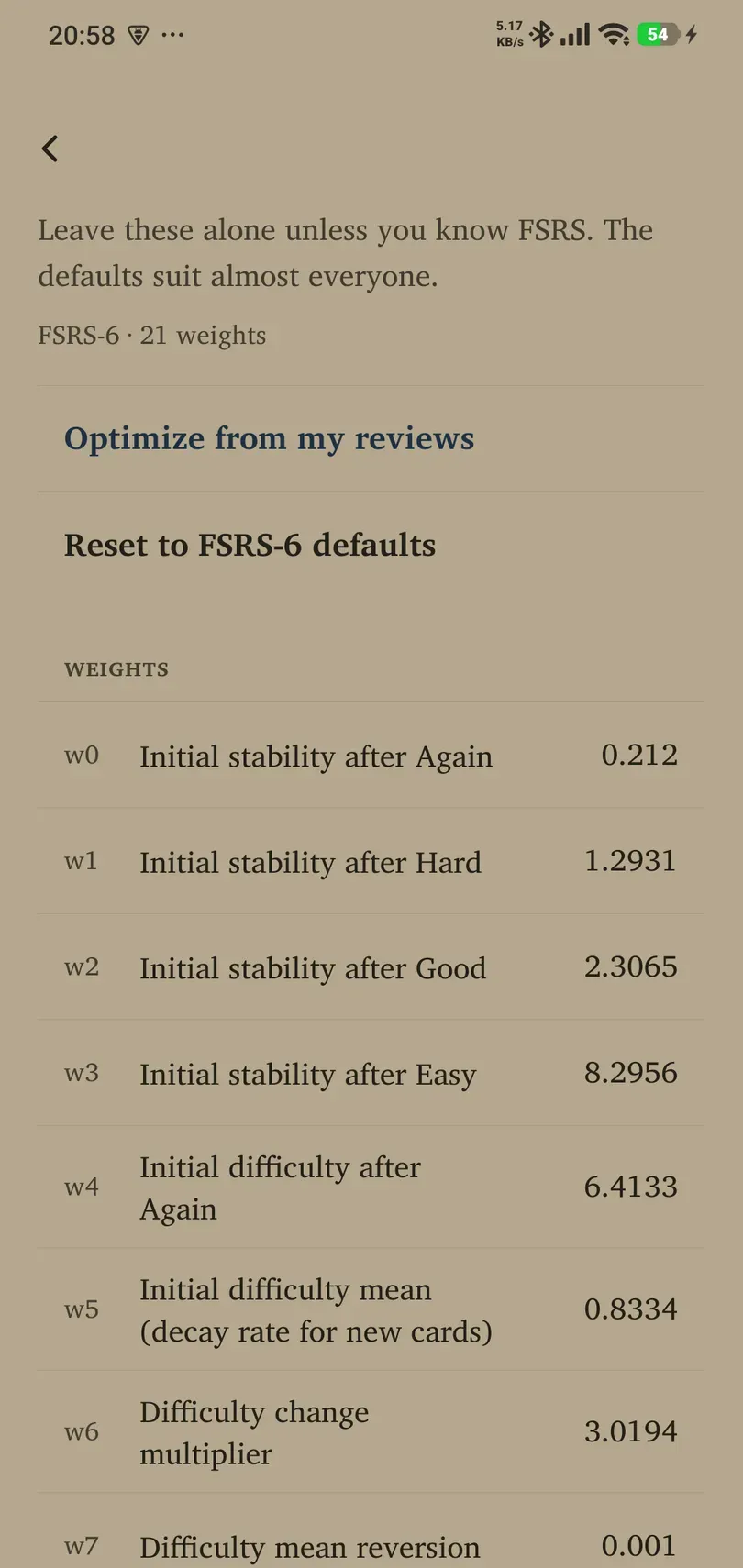
Optimize parameters now uses eligible review history and reports its result. Last optimized shows when it last succeeded. Insufficient suitable history may prevent useful optimisation.
FSRS parameters opens the FSRS-6 · 21 weights editor. Each weight has a label and numeric field; finish editing a field to commit a validated value. Optimize from my reviews fits eligible history; Reset to FSRS-6 defaults immediately applies the supplied weights. Do not paste a random list from another scheduler version. These controls affect scheduling, not a card’s translation.
Reschedule on change is off by default. Turning it on can recalculate existing due dates when parameters change and create a workload spike; the confirmation explains this. Keeping it off lets scheduling changes apply gradually through future reviews. Export a backup before intentionally rescheduling a large collection.