Make it yours
Set your daily learning workload
Simple and Power modes, daily limits, retention, presets and the start of your study day.
Android · Updated 23 October 2026
On this page
Open Settings → Learning. Changes here affect learning behaviour, not the look of the app. Your current values can differ from factory defaults after imports or earlier changes.
Simple or Power
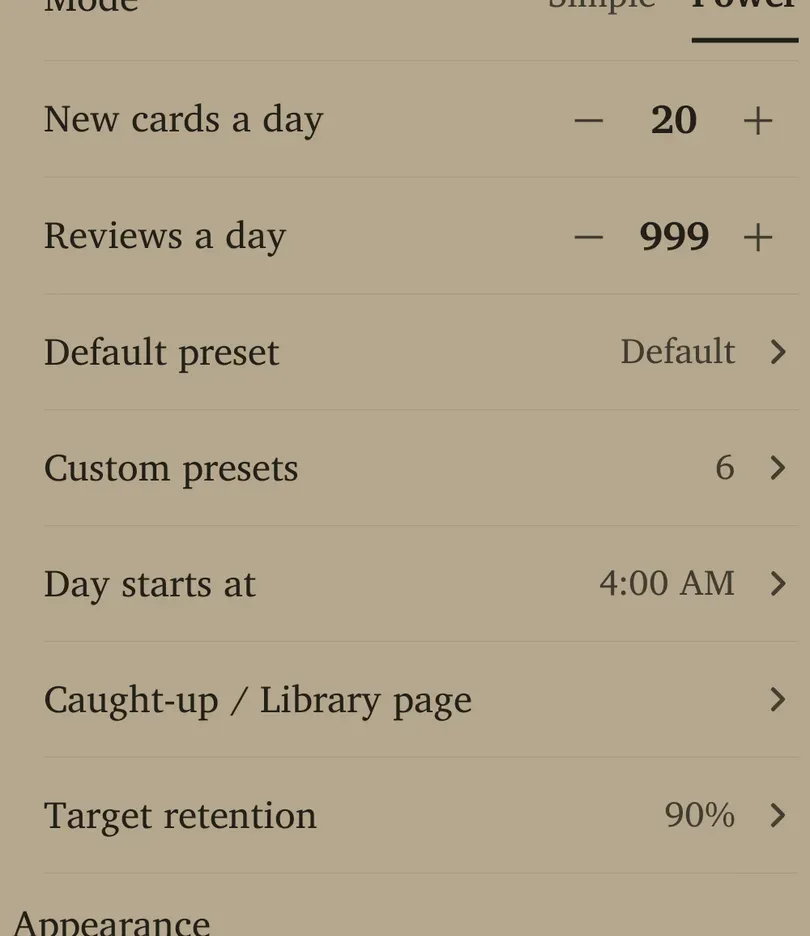
Simple is the default mode and keeps fewer controls visible. Power requires sign-in and exposes review limits, custom presets and day settings. Signing in for Power is separate from buying Pro.
Choose Mode → Simple or Power. Switching modes changes which controls are visible; it does not by itself reset your stored scheduling preferences. Check the displayed intake and the preset in use when changing an established routine.
Daily limits and retention
| Setting | What it does and when to change it |
|---|---|
| New words a day / New cards a day | Controls new intake. Simple offers 5–30 in steps of five; Power permits 0–999. Fresh defaults are 10 in Simple and 20 in Power. Reduce intake when existing reviews are difficult to keep up with. |
| Reviews a day | Power’s daily review cap; default 999. The control permits 0–9999. Hitting a cap can leave due cards waiting. Setting a low cap does not reschedule the forgotten work away. |
| Target retention | Desired recall target, 70–97%; default 90%. Higher targets generally create more reviews. Lower targets lighten work while accepting more forgetting. |
Newly added cards can bypass intake limits while Card options → Prioritize new cards is enabled. Check that setting if the queue seems to ignore your goal.
Presets and day settings
Default preset opens the collection’s fallback scheduling settings. Custom presets lets you manage other settings groups; a deck can choose one in its own settings. Editing a shared preset affects every deck using it.
Day starts at chooses the hour that begins a study day, from midnight through 11 PM. The fresh default is 4 AM. This helps a late session belong to the previous evening. Its sheet shows the timezone; changing day/timezone can shift recent reviews between displayed days.
If the detected timezone differs from the stored one, use the offered update action only when you intend the app to adopt it. Travelling and changing the study-day hour are separate decisions.
Caught-up / Library page controls which extra-study and add-deck shortcuts appear, and their sample sizes. It does not delete the underlying features.
Make one adjustment at a time
Start with a sustainable new-card count and the default retention. Review for a few days before changing several scheduling controls. Use the advanced preset guide for learning steps, leech behaviour, optimisation and rescheduling consequences.