Make it yours
Set useful study reminders
Review and streak reminders, timing, thresholds, and Android permission checks.
Android · Updated 23 October 2026
On this page
Open Settings → Notifications. Review reminders and streak reminders are independent. Both are off in a fresh setup and need Android notification permission to be visibly on.
Review reminder
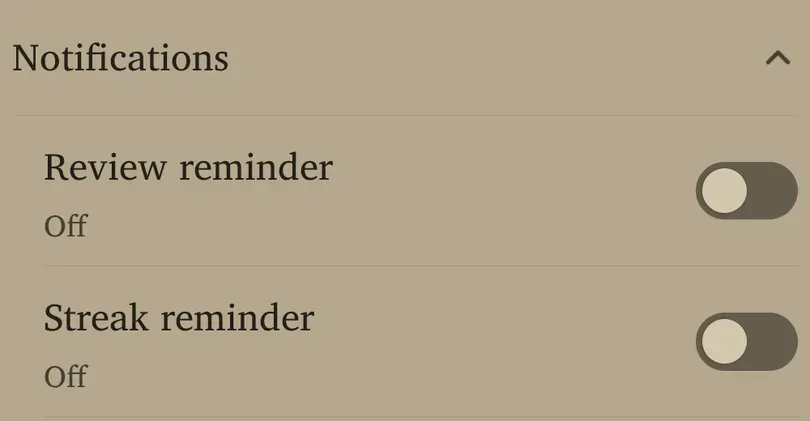
- Turn on Review reminder.
- Allow Android notifications if prompted.
- Set the option shown below it. The type depends on Card options → Show today’s reviews all at once.
- Read the panel’s summary to confirm the result.
With today’s reviews available together, Reminder time chooses a daily hour when reviews are waiting. The fresh time is 9 AM. The slider runs from midnight to 11 PM; use Save to finish the time sheet.
With precise due-time reviews, Notify when waiting chooses a review-count threshold instead. The fresh threshold is 20; the permitted range is 1–999. It means “notify when enough work is waiting”, not “give me a notification for each card”.
Streak reminder
Turn on Streak reminder if you want a separate nudge on a day your streak is still open. Streak reminder time is an hour-based slider from midnight to 11 PM, with a fresh default of 9 PM. It does not require the review reminder to be on.
Choose a time when studying is realistic for you. A late reminder is useful only if you still have an opportunity to act on it.
If Android blocks notifications
When the app says notifications are blocked, use Open settings to inspect Android’s permission for Remilo. Turn permission on if desired, return to the app and recheck the visible switches.
A stored preference is not proof Android can deliver notifications. Battery restrictions, notification channels, a powered-off phone or a force-stopped app can also prevent delivery. Device-specific system labels vary.
Check before troubleshooting
Confirm that the expected condition is true: reviews are waiting, the threshold is reached, or today’s streak is still open. Holiday mode suppresses reminders while active. Check the configured study day/timezone if a day seems out of step. To stop reminders, turn the corresponding switches off; changing the review limit is not the same action.