Your first days
Read your progress and streak
Understand activity, card states and upcoming work without turning every number into a target.
Android · Updated 23 October 2026
On this page
Progress helps you understand what you have done and what is coming. It is feedback about your study activity, not a promise that every word is permanently mastered.
Choose the period and deck
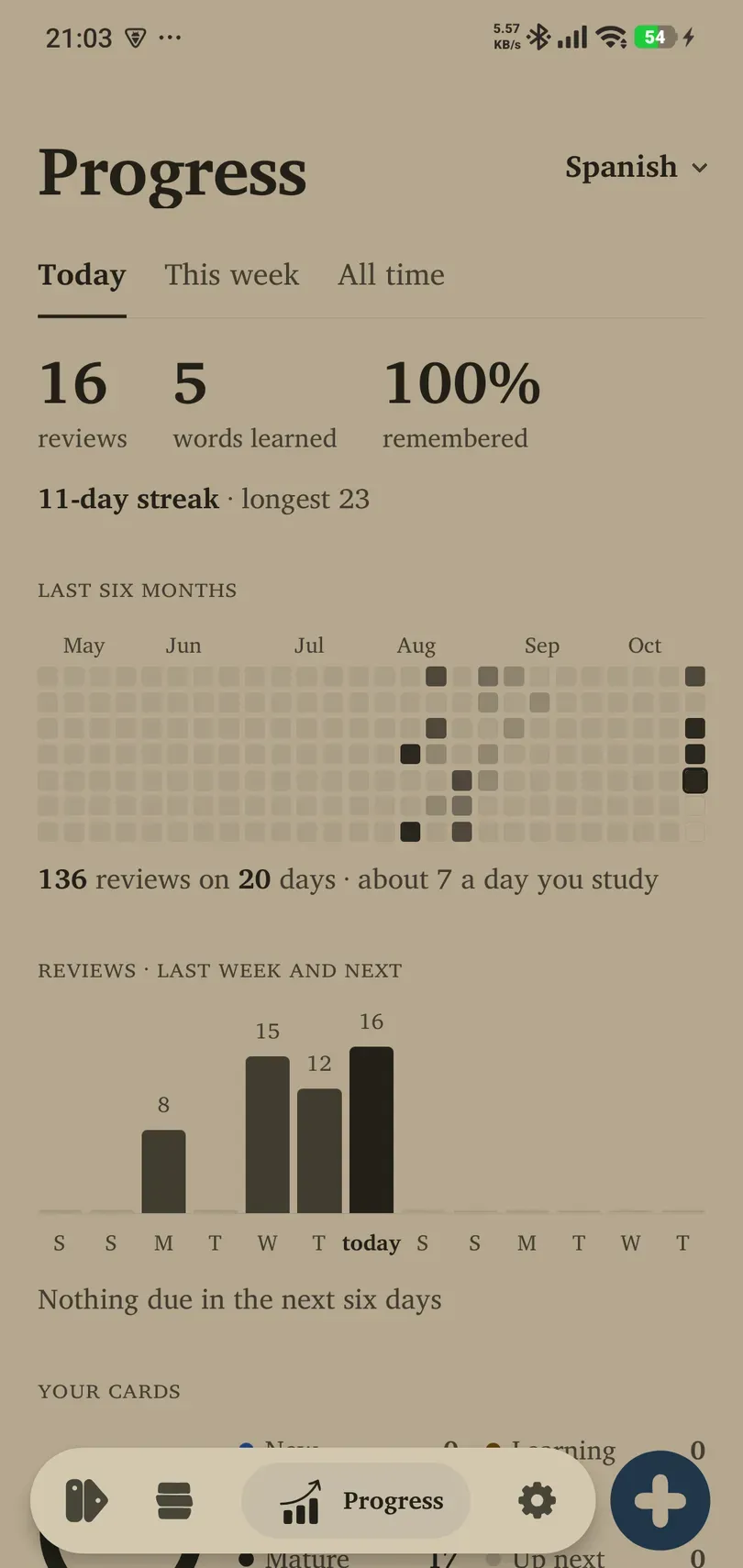
- Open Progress.
- Choose Today, This week or All time.
- Use All decks or the deck selector to inspect a narrower collection.
- Read the totals together with the time period you selected.
Review counts and words learned measure different things: one word can be reviewed several times, and a separate recall card can add more reviews. Practice activities are ungraded, so they are not a substitute for review-history totals.
Read the calendar and forecast
The study calendar shows which days have activity. The reviews chart includes past work and scheduled future work. Future counts are a forecast: new cards, your ratings and scheduling changes can alter them.
Use the forecast to notice whether your routine is becoming too demanding. Lower new intake before the queue grows further, rather than resetting progress to improve the chart.
Understand card states
Your collection can include new, learning, review, mature, up-next and paused cards. Paused material remains in the Library while being excluded from normal study. A large total does not mean all cards are currently due.
The displayed mastery indicators summarise learning state. They are useful for comparison within your study, but they do not certify real-world fluency.
Streaks, breaks and day boundaries
A streak follows the app’s completed-study-day rules. The study day can begin later than midnight: check Settings → Learning → Day starts at and the timezone if activity appears on an unexpected day.
Streak freezes, where available, are earned according to completed study days and have a limited reserve. They do not remove the need to review cards. Holiday mode explicitly pauses the routine, including its streak behaviour; read that screen before starting a holiday.
Return after a break by reviewing gradually and reducing new cards. There is no need to chase a lost streak by giving inaccurate ratings. If a number looks inconsistent, reopen the app and confirm the selected deck and period before reporting it.