Make it yours
Customise caught-up and Library shortcuts
Choose the extra-study actions and add-deck options you want to see.
Android · Updated 23 October 2026
On this page
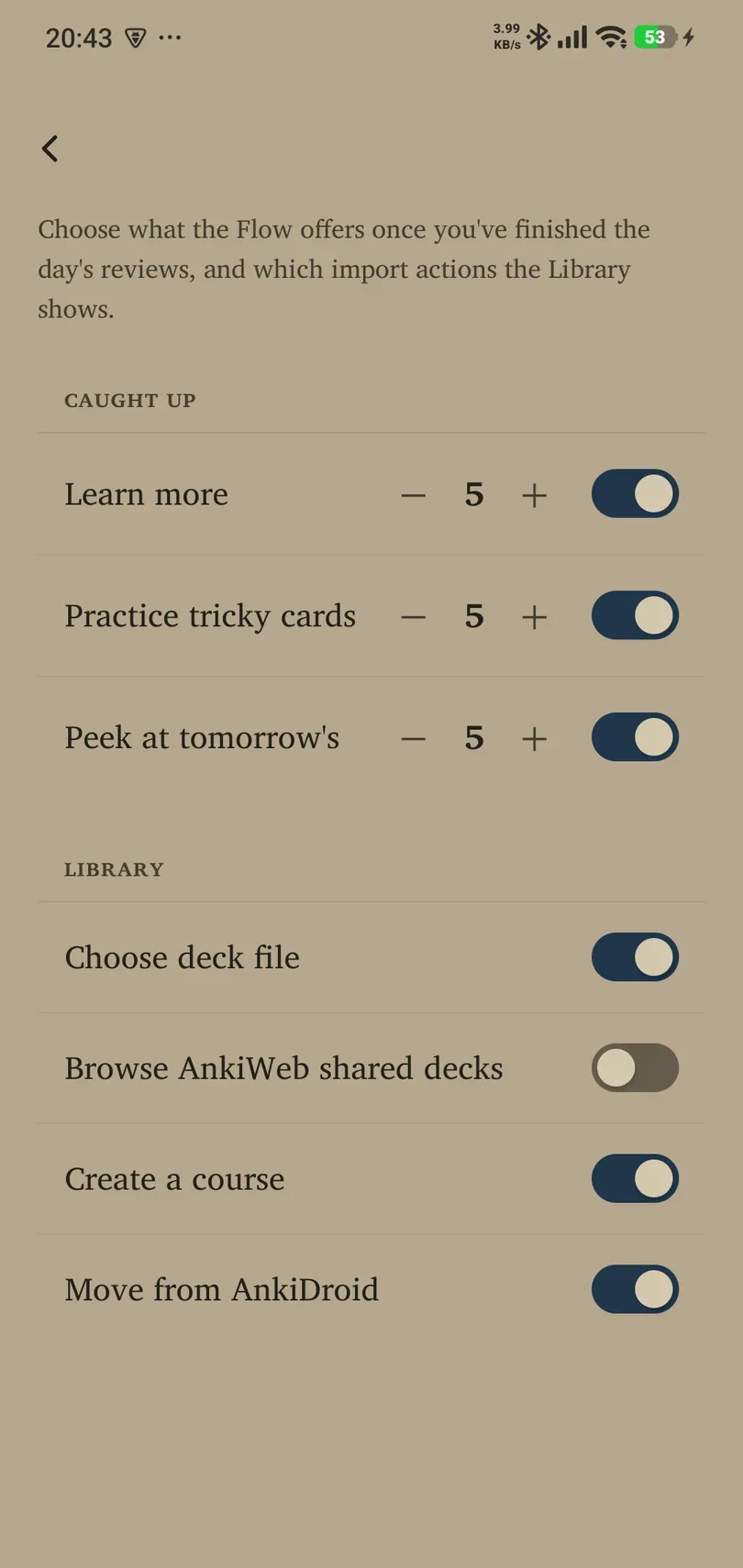
Open Settings → Learning → Power → Caught-up / Library page while signed in. The switches control shortcut visibility; turning a shortcut off does not delete its cards or remove the underlying capability.
Caught-up actions
| Shortcut | Purpose |
|---|---|
| Learn more | Bring another small group of new material into study after your ordinary queue is complete. This extends your learning session rather than merely displaying an image. |
| Practice tricky cards | Revisit a sample of difficult material as extra practice. It is different from completing due reviews. |
| Peek at tomorrow’s | Preview a sample of upcoming material rather than treating tomorrow’s queue as already completed. |
All three shortcuts are enabled in a fresh setup. Each sample count defaults to 5 and can be set from 1–20. Use the toggle to show/hide an action and its count control to choose how much it deals. A small count makes “a little more” easier to keep small.
What appears also depends on having eligible material. An enabled shortcut is not a guarantee that a deck has new, difficult or upcoming cards to show.
Library add-deck options
The Library group has four switches:
- Choose deck file: show the supported file-import entry.
- Browse AnkiWeb shared decks: show the external shared-deck browsing entry.
- Create a course: show the course creation entry.
- Move from AnkiDroid: show Android’s guided migration entry.
Fresh defaults are on. Check these switches when an expected Add decks option is missing. Enabling a shortcut does not grant Pro access, create a dictionary download or make an unsupported file valid.
A useful stopping point
When caught up, stopping is a valid choice. Use Learn more when you intentionally want additional new material, or a short practice activity for a particular skill. Avoid expanding the session automatically just because there is another button to tap.