Study & practise
Choose your learning modes
Set up all six deck modes, understand their requirements, and try the preview.
Android · Updated 23 October 2026
On this page
Learning modes change how vocabulary cards ask their questions in Flow. They are configured per deck. Imported Anki-only decks use their own templates and do not expose the same vocabulary-mode controls.
Open and preview a mode
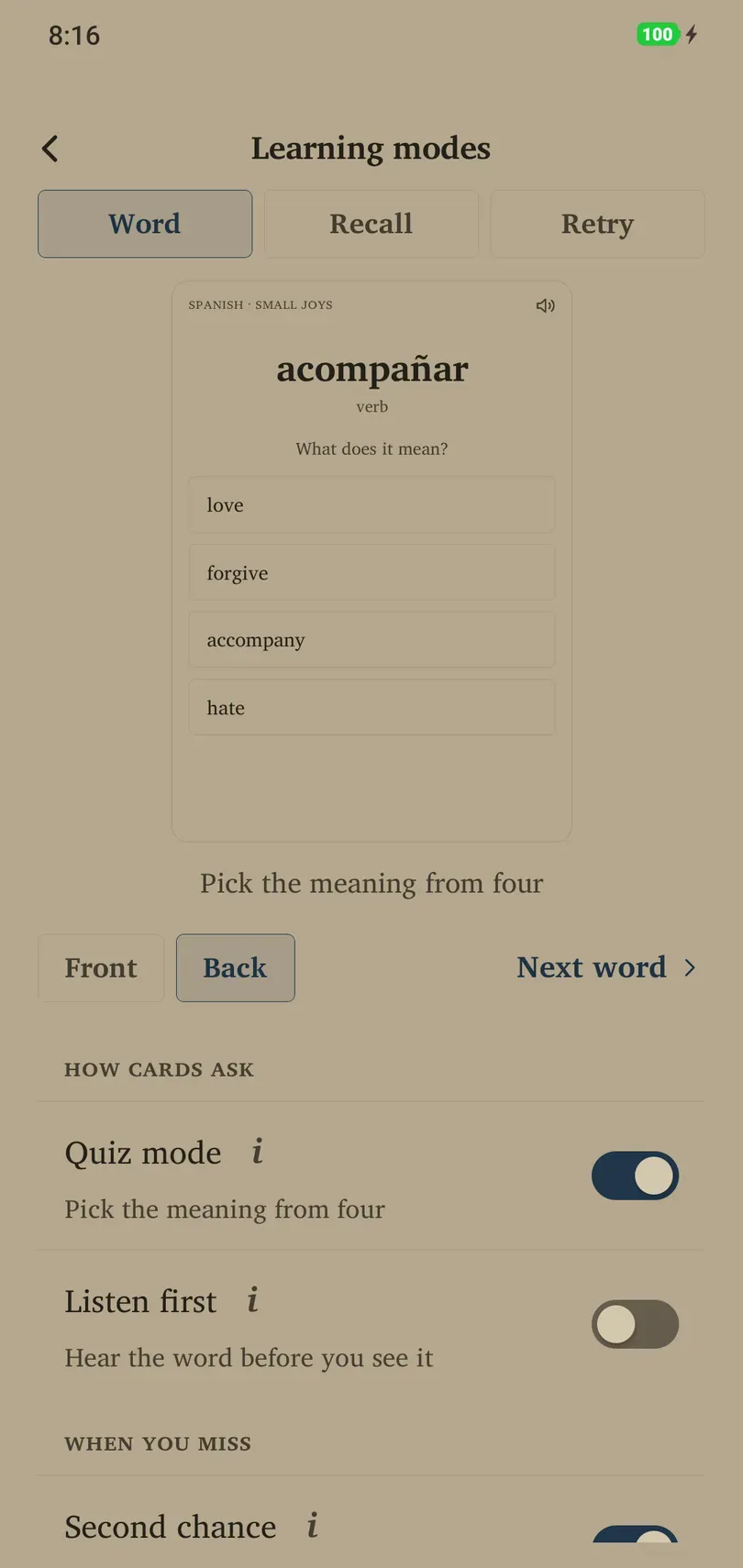
- Open Library and the deck you want to change.
- In the deck’s Settings, tap Learning modes.
- Turn on a mode and use the preview to see what it changes. The preview’s Word, Recall and Retry views represent different kinds of prompts.
- Use the next-word control to try another sample. Return to Flow when you are ready to study.
Previewing is a way to understand the presentation, not evidence of a completed review.
How cards ask
Quiz mode asks you to choose one of four meanings. It requires dictionary cards and sufficient suitable choices. New words show the answer first; later correct choices count as Good, incorrect ones as Again. A card without a usable quiz can use its ordinary presentation.
Listen first plays the word before showing it. Recall what you hear, then reveal the answer. It can combine with Quiz mode. A matching text-to-speech voice must be installed on the phone; use the offered Voice settings link if one is missing.
When you miss
Second chance offers a missed dictionary word again three cards later as a four-choice retry. It requires dictionary cards. The retry does not add another grade: the miss already affected the schedule.
The other way round
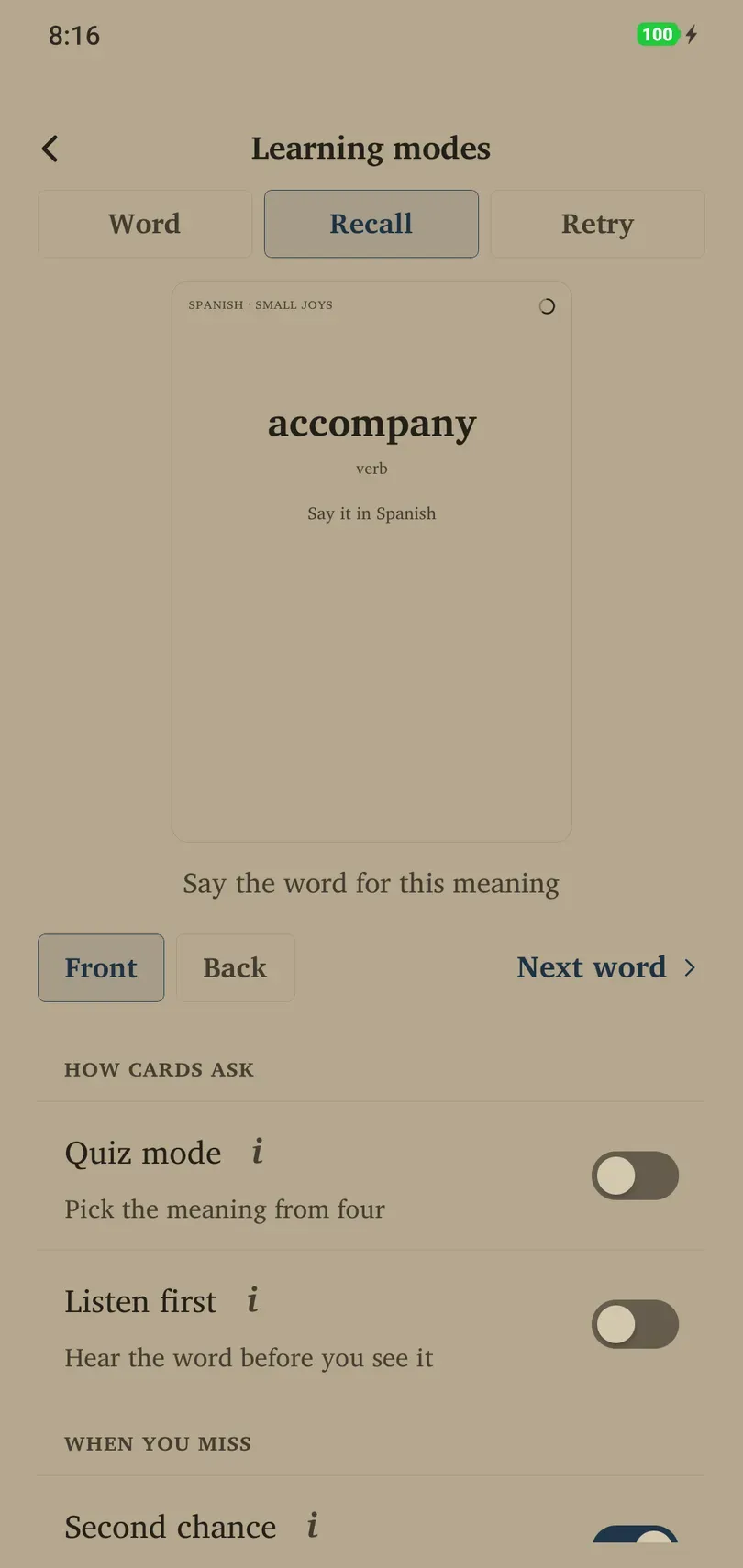
Recall it adds the opposite direction: see the meaning and produce the word. These are separate cards with their own schedules, so the deck can contain more cards. Turning the mode off hides recall cards and keeps their progress.
Word in context is available while Recall it is on. It uses an example sentence with the word removed and a translation clue. Without a usable sentence, a recall card continues to show its meaning instead.
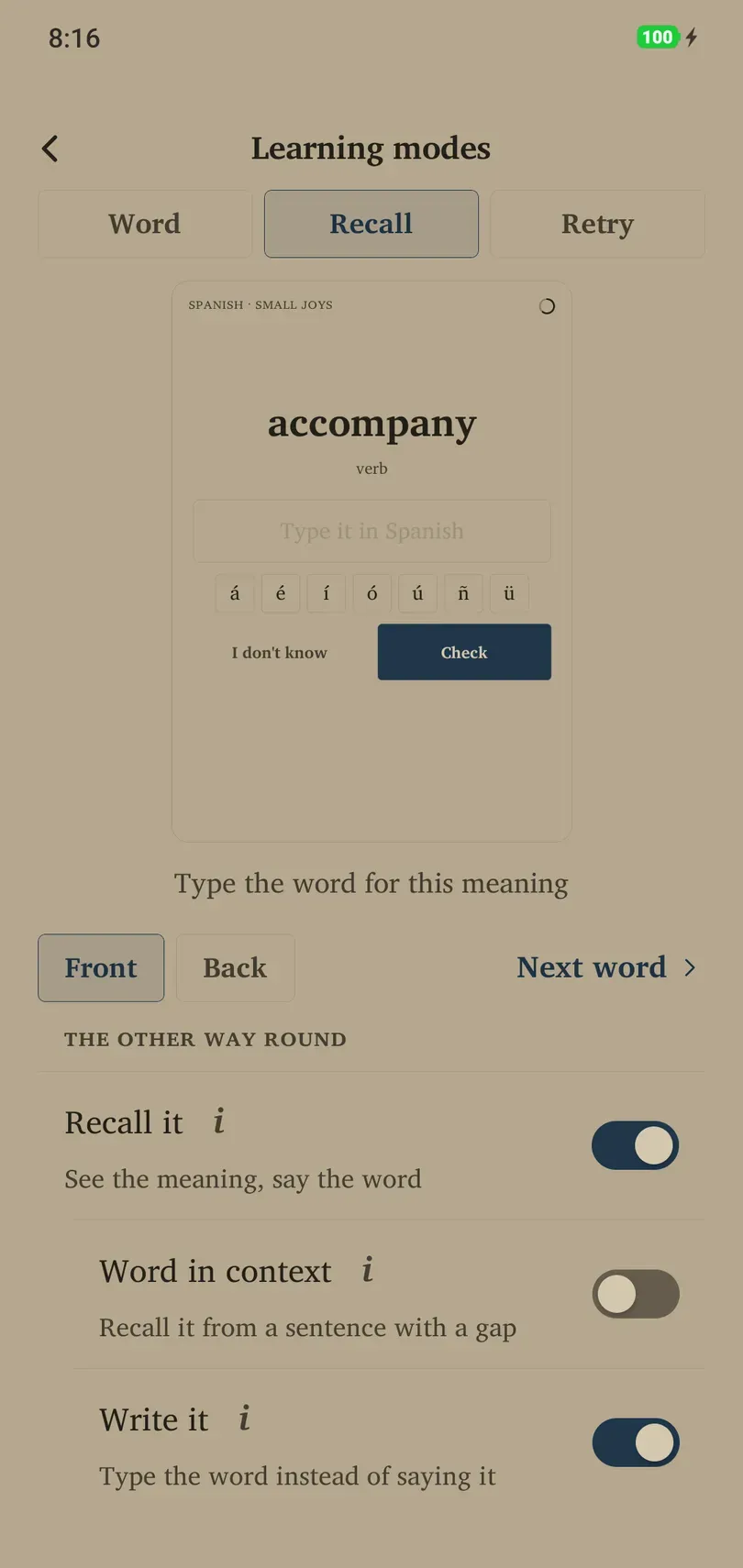
Write it also requires Recall it. Type your answer before revealing it. Compare your spelling with the original, consider the suggested grade, and choose your rating.
Choose a useful combination
Start with a familiar presentation and add one change at a time. Try Listen first for sound recognition, Recall it for producing vocabulary, and Write it for spelling. If controls are absent, check the deck’s card types and prerequisites before treating it as a fault.