Cards & decks
Create a course for your goal
Choose a language, describe what you need, and turn suitable dictionary words into a deck.
Android · Updated 23 October 2026
On this page
Course Creator helps you collect vocabulary for a goal or topic. It needs a supported dictionary for the selected language pair. A language appearing elsewhere in the app does not necessarily mean a course can be created for it.
Choose your language and dictionary
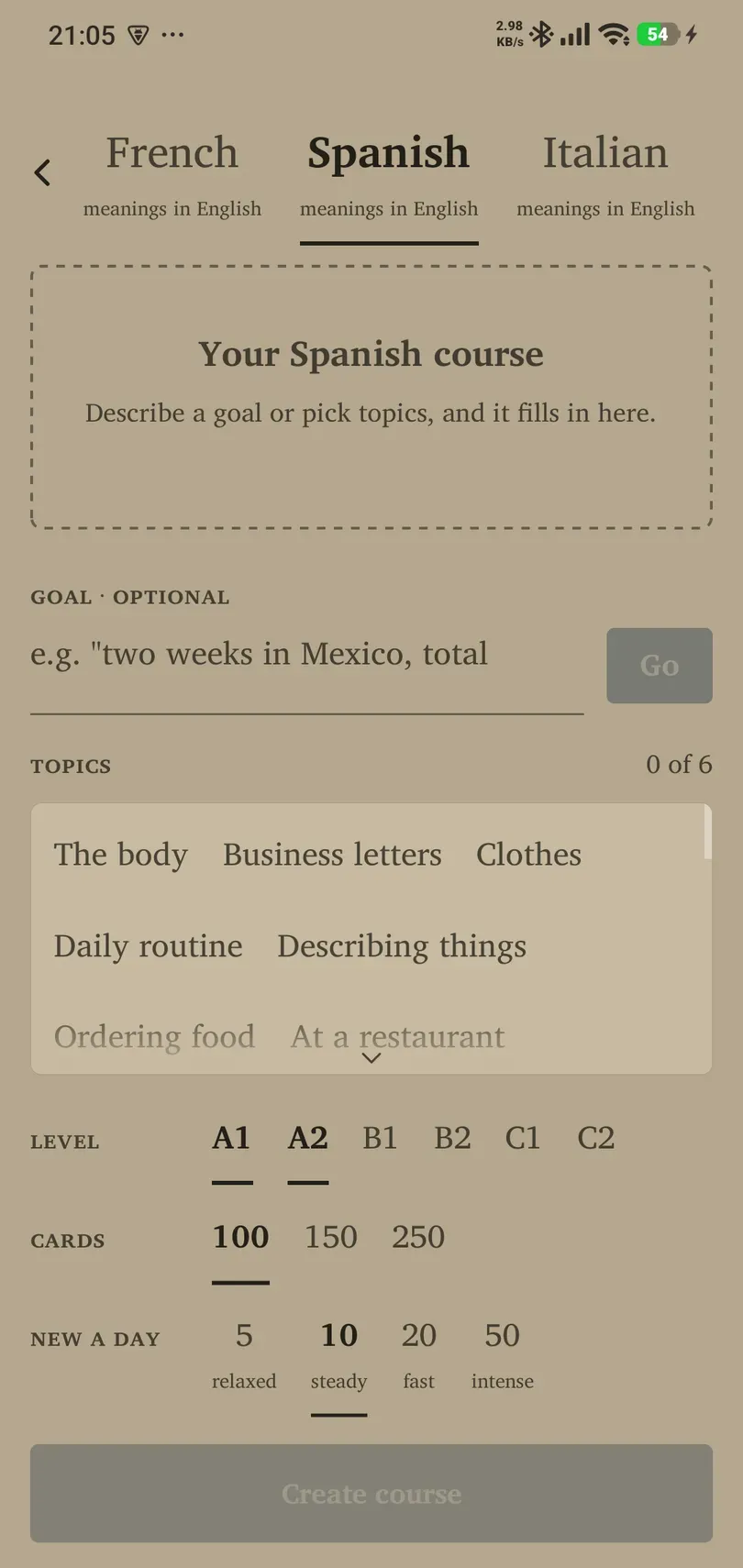
- Open Library → Add decks → Create a course. The same action may be offered on an empty Flow.
- Select the language you want to learn. Check the language used for meanings.
- If prompted, choose Download dictionary and wait until it is ready. An offered update can refresh an existing pack.
- If no supported dictionary is available, use another supported pair or add/import cards while you wait for coverage.
Dictionary availability can change. The app’s current download status is more useful than a fixed language list in a manual.
Describe or choose your course
- Use the goal-entry option to describe a concrete situation, or select the offered Topics.
- Review the interpreted goal or topic selection. Refine it if the result does not match what you meant.
- Choose the Level range (A1–C2) appropriate for you. Adjust Cards and New a day: the first controls course size, the second how quickly you introduce material. The form starts at 100 cards and offers 5, 10, 20 or 50 new a day, labelled relaxed through intense.
- Check the preview or summary, including any existing words the course will skip.
- Tap the create action and wait for completion. Open the resulting deck in Library.
Expected result: a deck of available dictionary vocabulary matched to your choices. A request can yield fewer new words when suitable material is limited or you already have it.
Allowance and Pro
Read the allowance or upgrade message shown in the app. Free course creation has an account-based allowance; Pro changes the course-word allowance. Do not assume that retrying, making a new deck, or changing language resets the allowance. Sign-in may be needed to use an account-based feature.
Make a course useful
Start with a narrow situation such as ordering food rather than “everything in Spanish”. Choose a sustainable daily intake, review before adding another course, and edit any card whose meaning is unclear. Course generation can require an internet connection even though downloaded cards and dictionaries support offline use.