Capture & connections
Receive decks from ChatGPT
Connect the same account, receive sent decks, and resolve changes made in both places.
Android · Updated 23 October 2026
On this page
ChatGPT decks are available to signed-in users. The connection receives decks you send from ChatGPT; your existing Remilo Library and review history are not shared with the plugin.
Connect and receive a deck
- Sign in to Remilo.
- In ChatGPT, connect the Remilo plugin/app using the same Remilo account.
- Ask ChatGPT to create a suitable deck and use its send-to-Remilo action.
- On your phone, open Settings → Cards → ChatGPT decks while online.
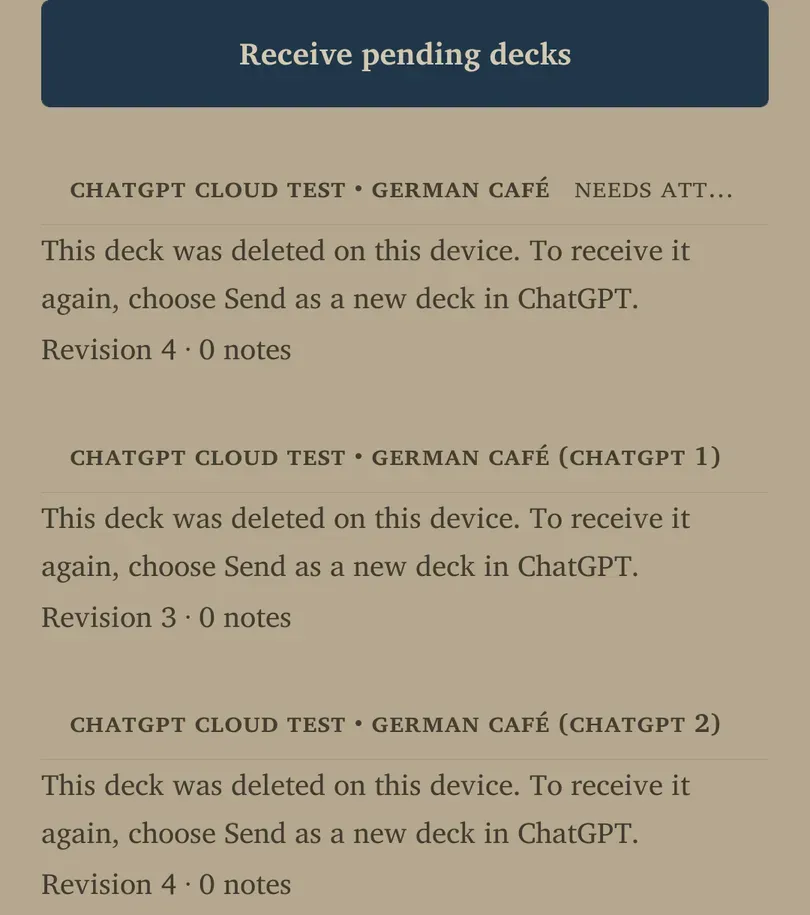
- Allow delivery to run, or choose Receive pending decks. Check the deck in Library after it is imported.
The ChatGPT screen can show the connected account. Compare it privately with the account used in ChatGPT if a deck does not arrive.
Understand updates and conflicts
Delivered decks show their revision and note count. If a note changes both in Remilo and in a later ChatGPT revision, the app asks you to choose rather than silently overwriting your work.
- Find a deck marked Needs attention.
- Compare Your app version and ChatGPT version.
- Choose Keep my app version or Use ChatGPT version for that note.
- If the incoming revision removes a note, inspect Archive removed note before accepting it.
Review the decision carefully, especially when you have added your own corrections. Receiving the same deck is not the same as asking ChatGPT to send a completely new copy.
Deleted decks and disconnecting
If a deck was deleted on this device, its status explains how to receive it again: choose Send as a new deck in ChatGPT. Do not expect an ordinary retry to undo a deliberate local deletion.
To stop the ChatGPT connection, manage it in ChatGPT’s connected-app controls. This app page handles delivery and note conflicts; it does not provide a general export of your Library to ChatGPT. Cards already received remain local content unless you separately remove them.
If delivery fails
Check the account match, internet connection and any visible error. Retry Receive pending decks after addressing the cause. Search Library before sending duplicate copies. When reporting a failure, include the visible status and deck revision without exposing account credentials or private card contents.