Account & your data
Manage your account and Pro access
Sign-in, access requirements, purchase restoration, and the consequences of account deletion.
Android · Updated 23 October 2026
On this page
You can study local cards without signing in. Account-based connections, Power access and paid features have their own requirements. An account and a Pro subscription are separate things.
Open your account
- Open Settings and tap the account/sign-in row at the top.
- Sign in through the offered flow if you want account-based features.
- In Account, check the displayed access and any renewal, trial-end or payment warning.
Examples of separate gates include sign-in for Power and ChatGPT decks, and Pro for browser pairing and Holiday mode. Other limits, such as course words or connected devices, are explained where they apply. Read the current offer and feature explanation rather than treating every unavailable feature as a request to subscribe.
Purchases and subscription management
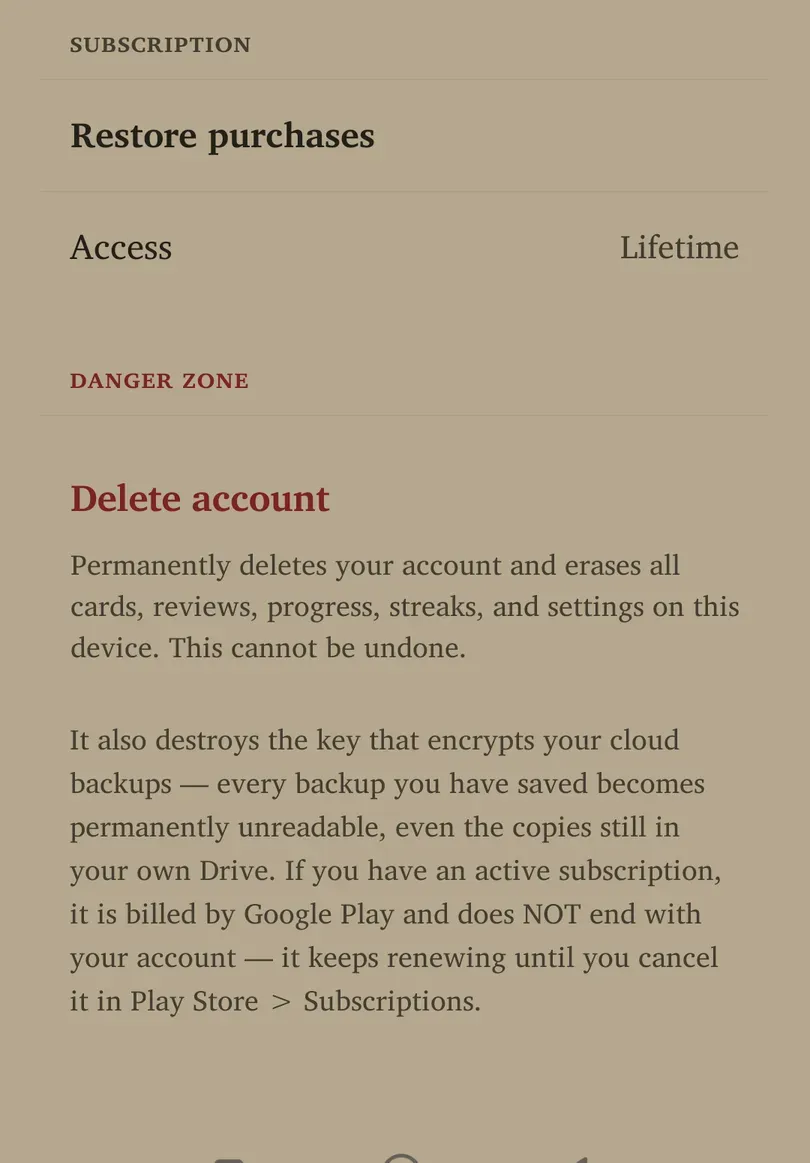
Use Restore purchases when an existing store purchase is not reflected in the app. Connect to the internet and use the appropriate store account. Read the result before attempting to buy again.
Subscription price, currency, trial eligibility and renewal terms come from the offer shown to you. To cancel an Android subscription, manage it in Google Play → Payments & subscriptions → Subscriptions. Cancellation and access expiry are not always the same moment; check the store’s date.
Sign out and account locks
Back up important content and read any connection or sync warning before choosing Sign out. Signing in with another account can encounter an ownership lock if this local collection belongs to an existing account. Use the recovery/owner sign-in action the app provides rather than trying to bypass that protection with a restore.
An offline failure is not proof your account was removed. Reconnect and inspect the visible state before repeating account actions.
Delete account: read this first
Delete account permanently deletes the account and erases cards, reviews, progress, streaks and settings on this device. It also destroys the key for your cloud backups: even backup files left in your own Drive become permanently unreadable.
Deleting the account does not cancel a Google Play subscription. Cancel it in the store separately if that is your intention.
This action is irreversible and requires deliberate confirmation. Export any suitable independent copy you need before deciding, and understand the export’s media/encryption limitations. Deleting an account is not a troubleshooting step for a missing notification or card.