Your first days
Your first ten minutes
Set up your languages, add something useful, and complete your first review.
Android · Updated 23 October 2026
On this page
You need the Android app and a word or subject you want to learn. You can begin studying without an account. Features that connect to other services explain when sign-in is needed.
Set up your languages
- Follow the welcome screens and choose the language you speak and the language you want to learn.
- Choose how you want to begin: create a course, bring an existing deck, or add your own words. You can come back to the other options later.
- If you reach an account or Pro offer, read the options on that screen. Signing in and subscribing are separate choices.
- To change your languages later, open Settings → Languages. I speak controls the language of meanings; I’m learning lists your target languages.
Choosing a language does not guarantee a dictionary is available for that language pair. Check its download status before creating dictionary-based cards or a course.
Find your way around
- Flow is where you review. Remilo chooses cards from your active decks according to their schedules.
- Library is where you find decks, browse cards and open deck controls.
- Progress shows your study activity and upcoming work.
- Settings contains learning preferences, appearance, languages, connections and data controls.
- The + button opens Add card. If you use Ball navigation, open the floating ball to reach the same destinations.
Add your first word
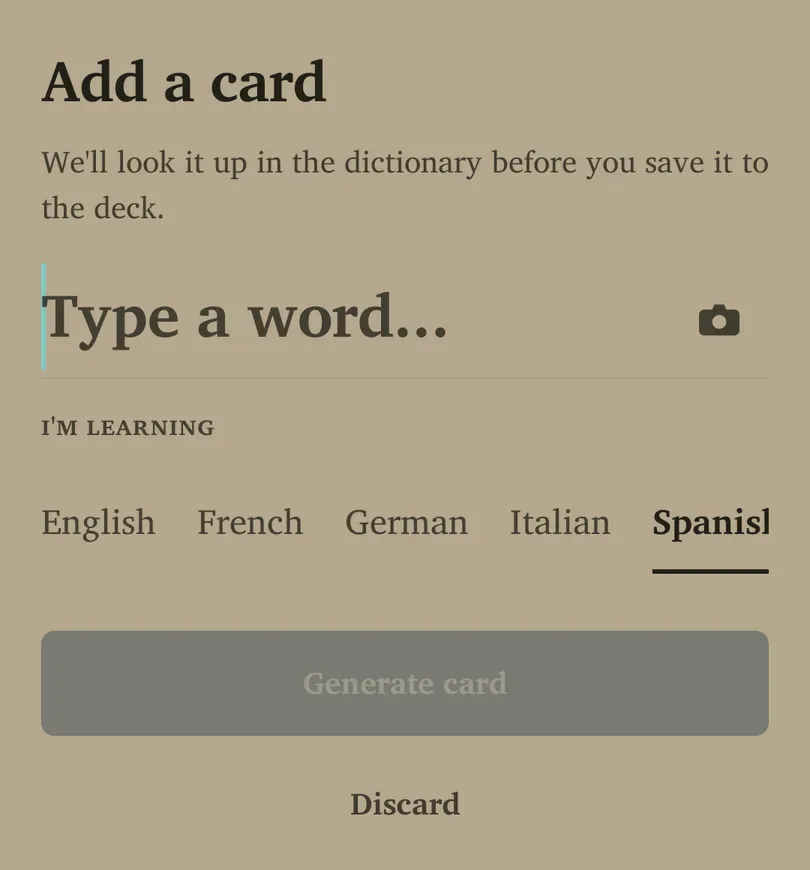
- Tap + and check the language under I’m learning.
- Type a word you expect to use. Try a familiar, everyday word rather than a long list.
- Tap Generate card when available. Check the meaning and example in the preview.
- Edit the preview if needed, then tap Add to Flow. If a dictionary entry is unavailable, use the manual option the app offers and supply the meaning yourself.
Expected result: the card is saved and you return to Flow. A duplicate may open the existing card instead of creating another copy.
Complete your first review
- In Flow, look at the prompt and try to remember the answer before revealing it.
- Tap to reveal. In Quiz mode, follow the choices instead.
- Grade honestly: Again if you could not recall it, Got it if you could. Four-button grading offers Again / Hard / Good / Easy.
- Continue for a few cards, then stop whenever you need to. You do not need to finish a whole deck in one sitting.
If Flow is empty, add cards, check that a deck is not paused, or wait until a scheduled card is ready. “All caught up” is a useful stopping point.